ARTICLE BASED ON THE v1.6 PLAYTEST RULES – SEE THE UPDATED VERSION HERE
Hello again! With our last article about Keywords we’ve covered everything you need to play a Trench Crusade game. Now we just have to assemble our forces and lead them to the battlefield.
In a Trench Crusade game each player brings their own warband to the table. This is recruited from a list of possible model and equipment options, which depend on the warband’s faction. Each model and item in the game has an associated value in Ducats or, for less common options, Glory Points, which are added together to determine the value of the warband.
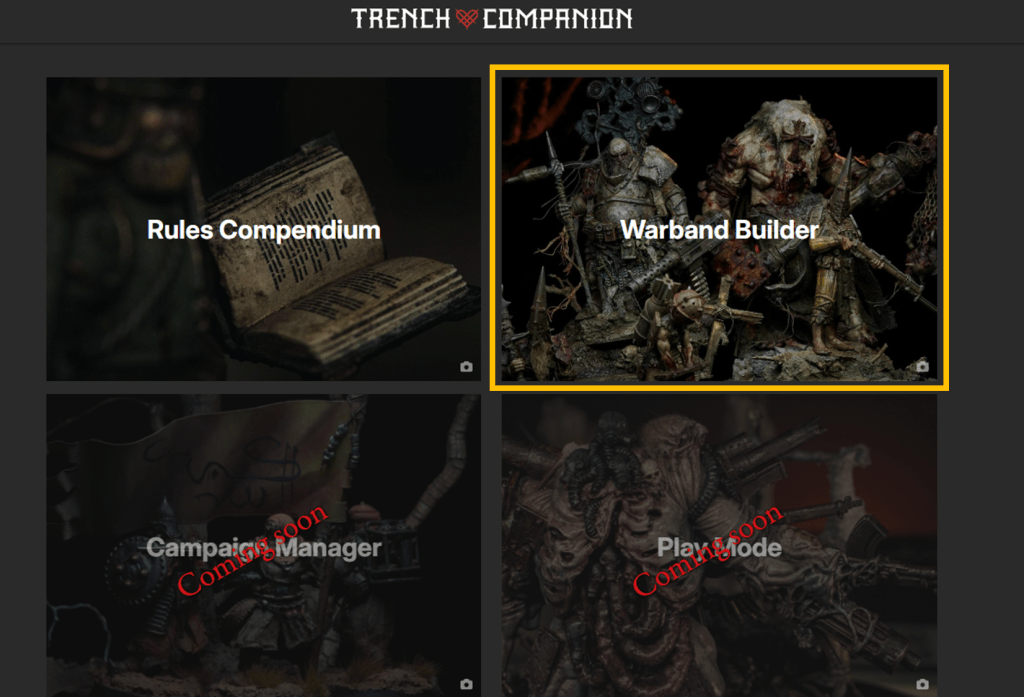
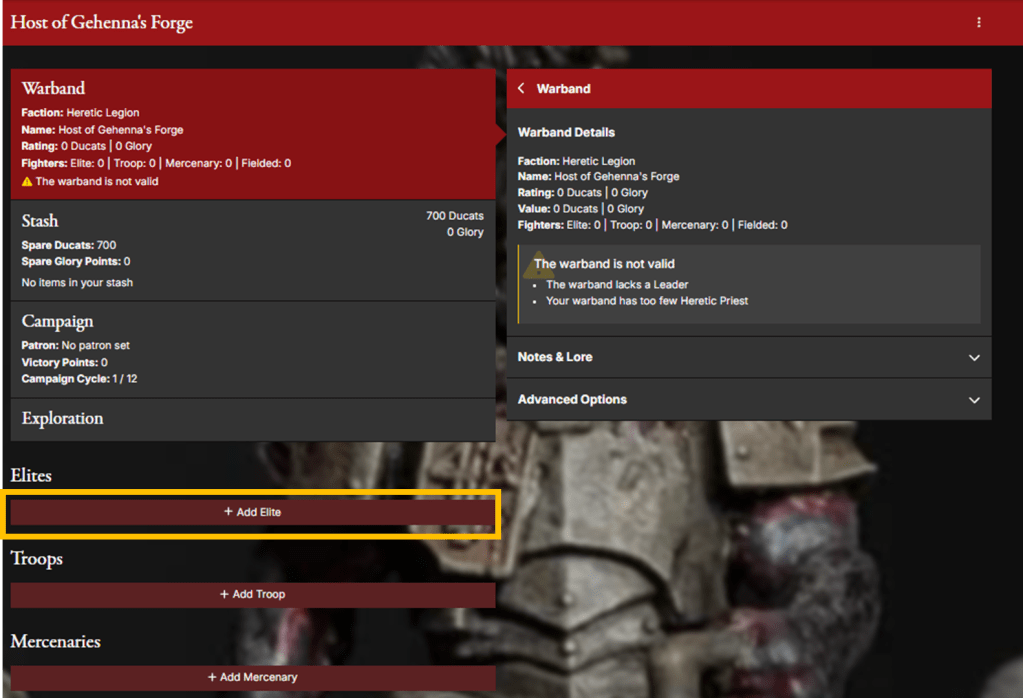
Throughout this article, we’ll make use of the Warband Builder function of the Trench Companion to help us creating a list for our warband and keeping track of all our choices.
Warband Creation Basics
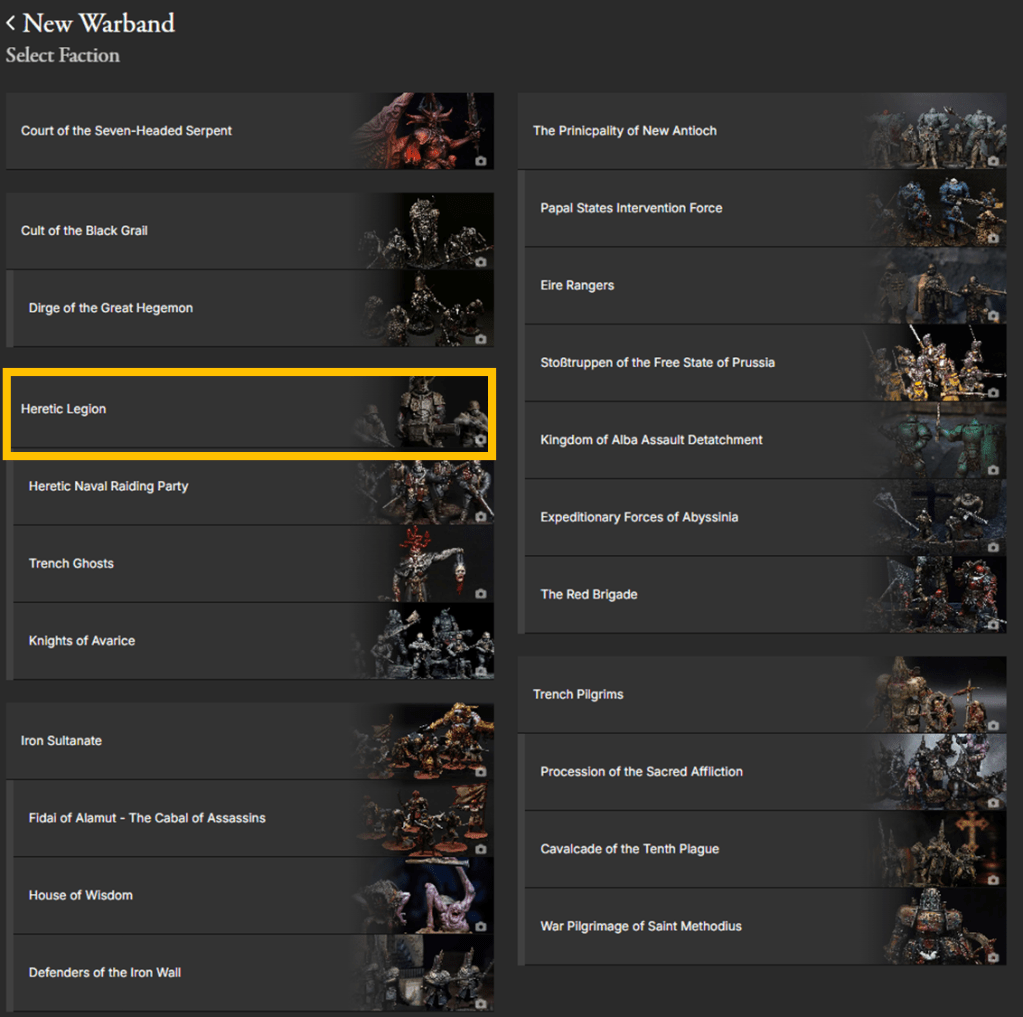
The first step in your warband’s creation is deciding the faction it belongs to and, if you wish, select one of the proposed variants for that faction. Variants will introduce some tweaks to the standard faction rules, like restriction on some models or equipment, changes to some special rules, specialized equipment etc.). Note that it’s not mandatory to select a variant, it is perfectly fine to play with the standard version of the faction (often referred as “vanilla” in wargamers jargon), and while slight differences in power levels exist – hopefully to be smoothed out even more in future rules updates – variants are not designed to be “stronger” than their regular counterparts.
You can see the list of the currently available official factions and variants in the Armies of the Great War page. Here I plan to add information on the lore, special rules and tactics of each faction. Note that for the time being I’ll keep to the material either directly published by Factory Fortress Inc. or by third parties under an official partnership license with FFI (such as Westfalia’s Red Brigade). Basically, the discriminant is: if it’s published on the Trench Crusade website, I’ll cover it.
Recruiting Fighters
In a Campaign game the maximum amount of ducats your warband can be worth, as well as the maximum number of models you can bring to the table, are determined by how many games you have played so far, starting at 700 ducats, with a maximum amount of 10 models in the first game and growing up to a maximum of 1800 ducats and 22 models for the final battle. On the other hand, the only limit to the amount of Glory Points you can spend is given only by how many Glory you have accumulated.
For one-off games, instead, players agree beforehand to a set number of Ducats and Glory Points to play at, with 900 ducats and 8 Glory being the standard size suggested in the rulebook. This however is not mandatory, and players should be free to agree on any amount they feel comfortable of, as long as both warbands have the same restrictions. Being the standard starting amount for a campaign, 700 ducats and no Glory is also a reasonable amount to play at. Less than 700 ducats is fine for a quicker game or an introductory game, with 450-500 ducats allowing 4-6 models per band and a shorter play time, while larger games at 1000+ ducats will take at least a couple of hours.
Besides ducats and Glory there’s no official restriction on the maximum number of models that can be field in an one-off game, at least in the current playtest rules. However it’s highly recommended to enforce some kind of limit in order to avoid swarms of cheap models that would only drag the game longer and longer. Sticking to the Maximum Field Strength table used for campaign games can be an idea. An unofficial limit of 15 models for “standard” 900 ducats/8 Glory one-off games has also been pitched by the developer in the Discord server a while ago, but it has never found its way into the playtest rulebook so far, while the recently circulated rules for the 2 November European Championship pose, for the same ducats/glory value, a limit of 12 models (like for campaign)
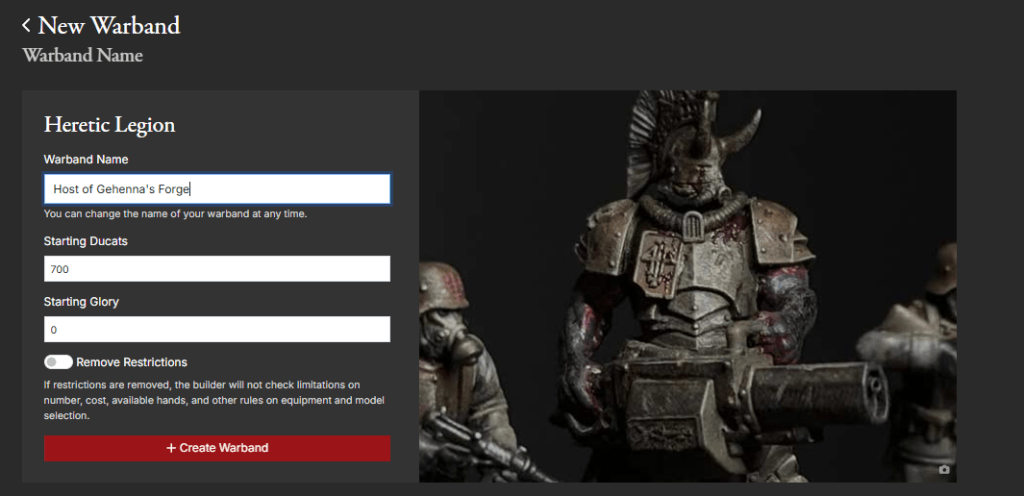
We got our budget, we know the faction we’ll be building a warband for. Now it’s finally time to start building. Each faction offers a list of models you can choose from, with each model in the list detailing:
- The cost, in either ducats or Glory Points, to add one copy of that model to your warband.
- The types of weapons, armour and equipment items the model can be equipped with, and any default items the model already possesses when recruited (whose cost is already factored in the model’s cost).
- Any additional special abilities the model can have, such as spells, skills or upgrades, by paying an extra cost (note that the purchase of such upgrades in a campaign is only possible when recruiting the model and not between matches).
- The minimum and maximum amount of copies of those models allowed in your warband If no such limits are listed for a given model, you can have any number of models of that particular type (still within the boundaries of the maximum field strength).
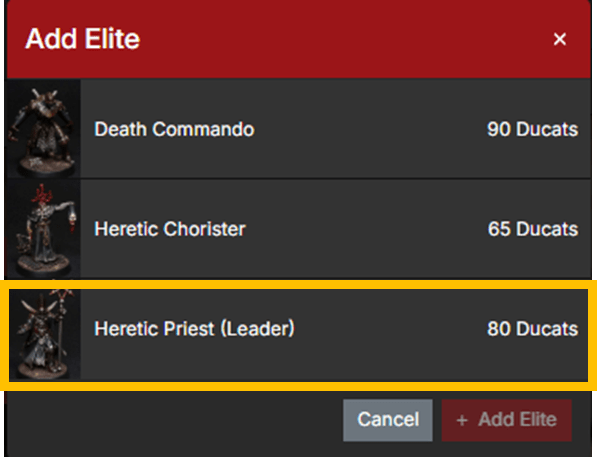
Note that each warband has a “leader” model that must be always included in the list when the warband is first created. If the leader leaves the warband for whatever reason during a campaign (e.g. it is killed or voluntarily dismissed), there is no obligation to re-purchase it: you can do without if you wish.
Some warbands have optional choices for the leader, like the Court of the Seven-Headed Serpent and the Cult of the Black Grail, while some variants will replace the mandatory leader of the base faction with a different model: always keep an eye to the faction rules when creating a warband! (The Companion will help on that regards, but a double-check is always useful).
Upgrades and Equipment
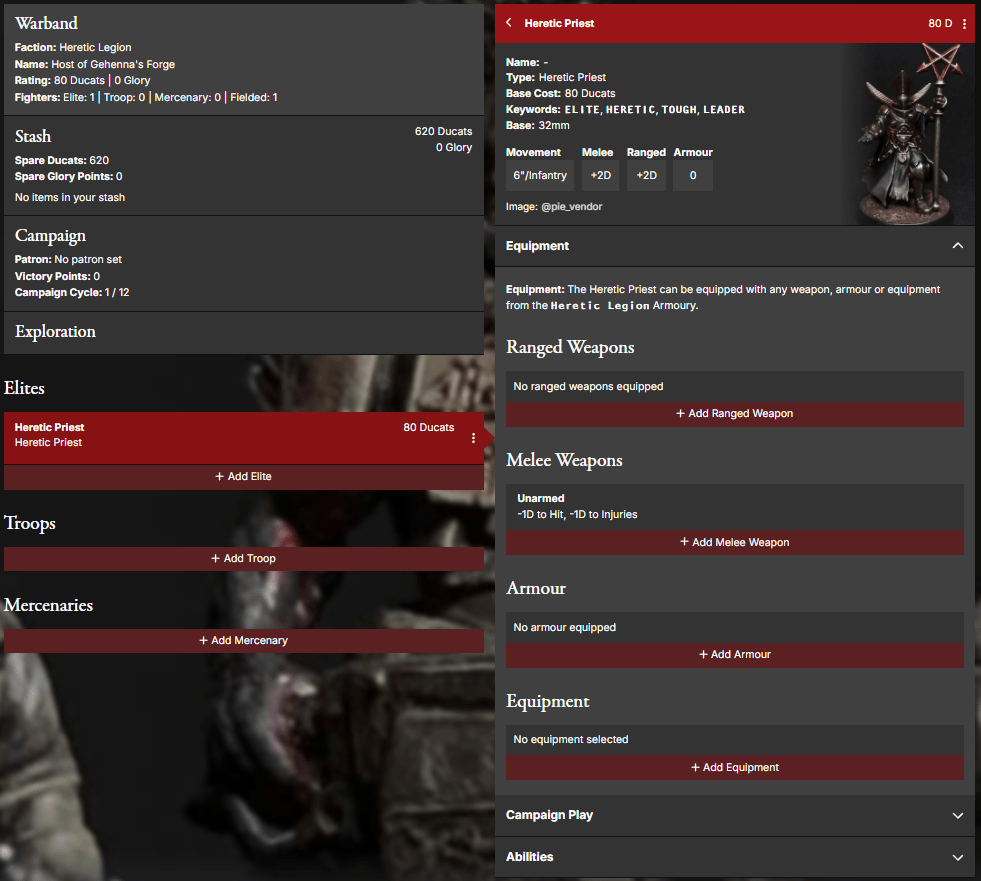
Some models have optional abilities that can be purchased, though there is no official game term in the playtest rules, these are commonly referred to as upgrades and are marked as such in the Trench Companion Warband Builder. Each model’s profile will define which upgrades the models has access to, their cost and limitations (if any). Some upgrades allow you to make a choice (e.g Heretic Legionnaires can increase either their Ranged or Melee Characteristic by +1 DICE): you make any required choice when purchasing the upgrade and you can’t change it afterwards. Also remember that in a campaign, unless explicitly specified (e.g. for the Takwin Homunculus), upgrades can only be purchased when recruiting a model and not between battles, and cannot be sold.
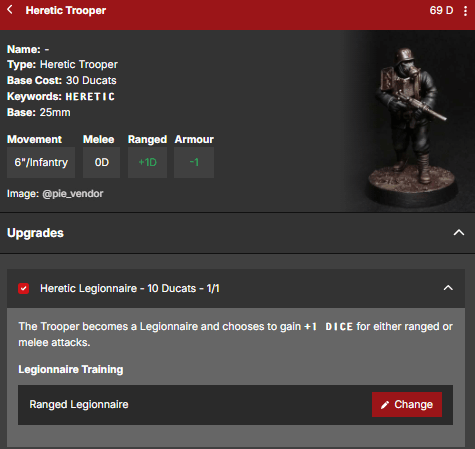
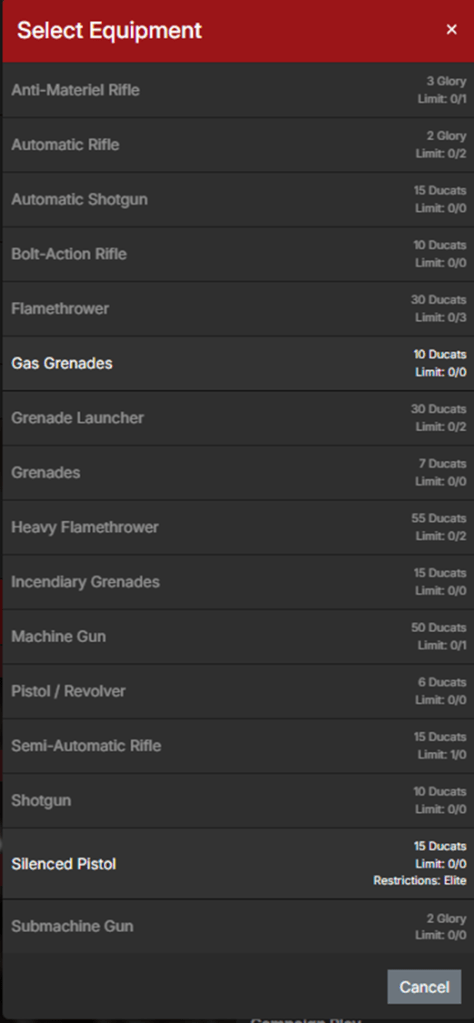
You can purchase equipment for your models from your warband’s armoury (within the limitations described below) by spending the listed amount of ducats or glory points. Add the cost of equipment to the cost of the model and its upgrade, and then add the cost of each model in your warband together: the total ducats value of the warband cannot exceed the amount of ducats you have available to spend. Do the same with Glory Points, if any. In an one-off game, any unspent resources are “wasted”, while in a campaign you can keep any ducats or Glory you don’t spend in your paychest, and use them later whenever you need them.
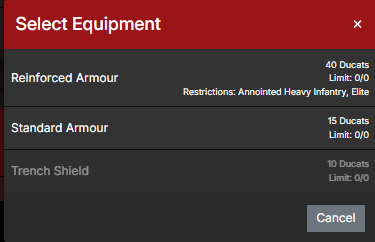
There are four “classes” (not a game term, but it can be useful for the explanation) of items in the game: ranged weapons, melee weapons, armour (which includes suits of armour and shields) and equipment, which denotes any item that is neither a weapon nor armour. The classes of items or, in some rare cases, individual items a model can take are described in its profile.
A model can only be equipped with items or classes of items that are explicitly listed (e.g. a model that “can be equipped with melee weapons, armour and equipment” cannot have ranged weapons by default). Some effects or abilities could grant a model the possibility to carry an item that is not listed in the items the model can be equipped with. In that situation the model is allowed to have that specific item. However, certain models have the phrasing “can only be equipped with…”. This is seen as an exclusive ruling, therefore in that situation the model cannot take any item that is not explicitly listed.
When equipping items, models must abide to the following rules:
- If an item has some restrictions (e.g. “ELITE only” or “Death Commando only”), then only the listed types of models can have that item;
- Some models have a list of items they are always equipped with (e.g. Anointed always wear Reinforced Armour and Infernal Brand Mark). These items are already included in the model’s cost and cannot be removed.
- Some models have items they must purchase (e.g. Plague Knights must always wear a suit of armour and Wretched must be equipped with at least one melee weapon). If you don’t fulfill the listed conditions, you cannot field these models.
- Some items have LIMIT: X. You can’t have more of X copies of an item with LIMIT across your whole warband (in a campaign, this includes items on any models that you don’t field);
- With the exception of weapons, no model can have more than one copy of each given item;
- A model that does not possess the keyword STRONG cannot carry more than a single HEAVY (more on STRONG later);
- Each model can only have up to of one item for each of the following categories:
- Any item marked as “Headgear” in the warband’s armoury (e.g. Combat helmet, Iron Capirote, Anfarro – note that Gas Masks do not count as Headgear for this limitations).
- Suits of armour (Standard, Reinforced, Machine or any other special kind of armour).
- Shields (e.g. Trench Shield, Black Grail Shield, Fire Shield etc.).
- Grenades (any weapon with the keyword GRENADE)
The majority of weapons (with the notable exception of grenades), shields and a few other items require one or two hands to be carried and used during the game.
As a general rule:
- Every model has two hands available for its melee loadout and two hands available for its ranged loadout.
- The melee loadout can be either a two-handed melee weapon or two one-handed melee weapons.
- Similarly, the ranged loadout can be either a two-handed ranged weapon or two one-handed ranged weapons.
The model would use its melee weapons when engaged in Melee Combat and its ranged weapons when attacking at a distance. Switching between the two loadout happens automatically when the model enters or exits Melee Combat and doesn’t require any action by the player.

Note that a model might have more weapons than allowed, as some weapons provide exceptions to the general rules described above: Grenades and Bayonets, for example, do not count towards the maximum number of weapons the model can have, while pistols, though being ranged weapons, can also be used in melee. Always remember to carefully read the weapons’ descriptions.
However, independently to how many weapons a model has, it can only make a single Ranged Attack ACTION per activation (therefore it can shoot a gun or throw a grenade, but not both), and can only use up to two hands worth of weapons in melee (so for example a model armed with a two-handed hammer and two pistol has to choose whether to use the hammer or the pistols when attacking in melee during its turn.
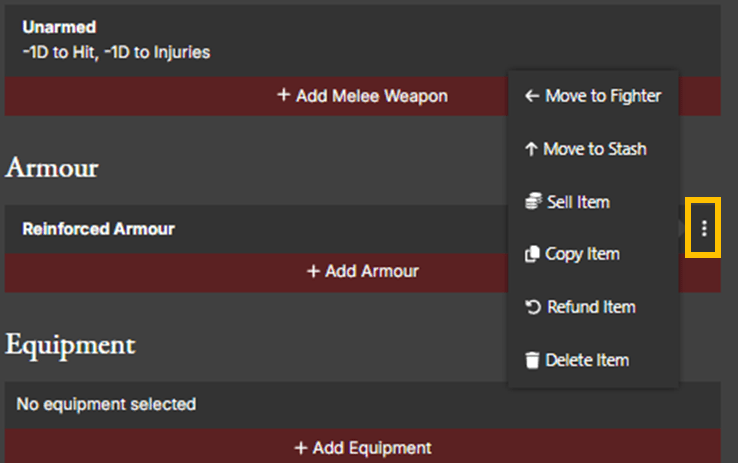
– “Delete” will remove the item but not refund its cost
– “Sell” will sell the item, returning half of its price (rounded up) to your paychest
– “Refund” will remove the item and fully refund its cost
More on Equipment
A few particular situations change the general rules regarding how many weapons a model can carry and use.
Some items (shields of any kind, musical instruments and flags/banners) take up one of the model’s hands “at all times”, meaning a model carrying one of those items has a single available hand for attacking in both their ranged and melee loadouts. Note that these items only prevent using the hand for attacking, therefore restricting ranged and melee attack ACTIONS to a single one-handed weapon only, but they don’t prevent the model from having the full allotment of two one-handed melee weapons and two one-handed ranged weapons: it’s up to the player to decide which weapon is used each time.
Models equipped with a shield can only wield two-handed weapons with the Shield Combo property (as well as one-handed weapons, of course). When attacking with a Shield Combo weapon, the shield is considered as not taking up any hand, therefore allowing the weapon to be used. Shield Combo is commonly found on short-range firearms such as shotguns and submachine Guns, and a few melee weapons like polearms and bayonets.
Bayonets can only be used by a model equipped with a ranged weapons with the Bayonet Lug property, which mainly consist of basic rifles (bolt-action, semi-automatic, automatic), shotguns and submachine guns. A bayonet can be taken in addition to any melee weapon the model is entitled to have, but being CUMBERSOME it must always be used with two hands, therefore preventing its use in conjunction with other melee weapons.
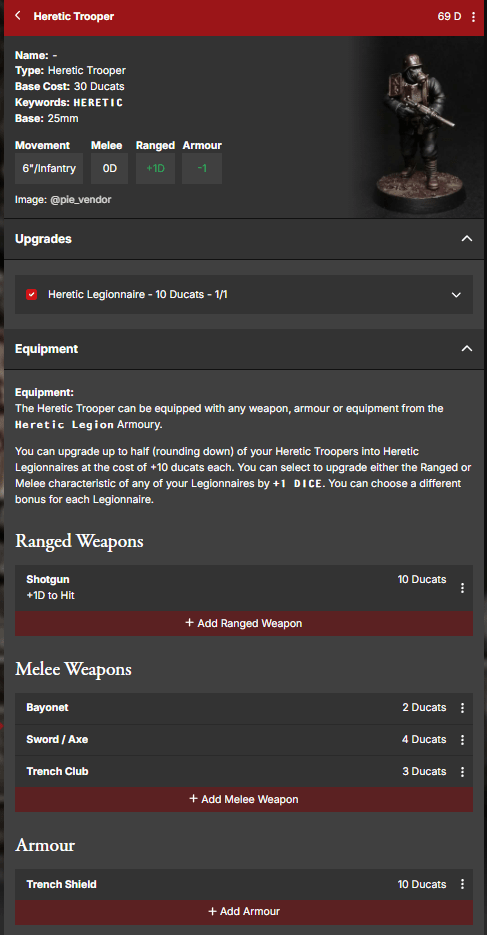
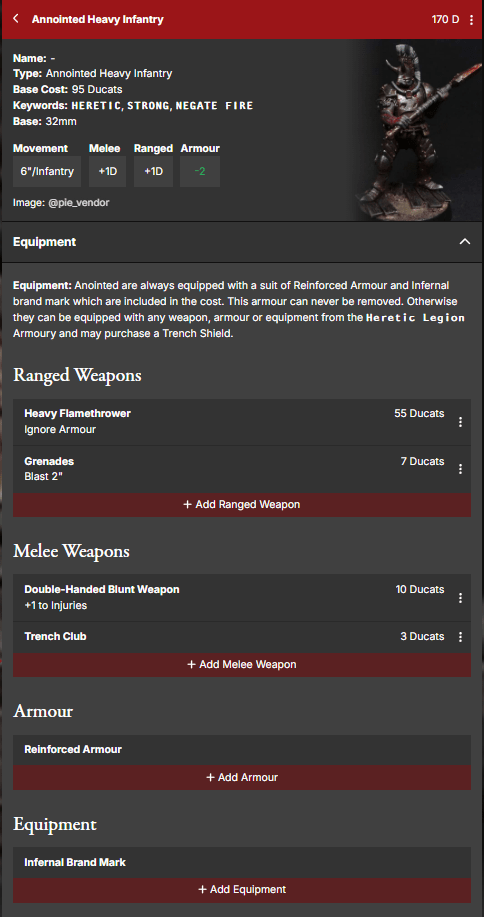
Also note that the Anointed comes with some pre-built equipment (Reinforced Armour and Infernal Brand Mark) that don’t have a listed cost as they are already factored in the model’s price and cannot be removed or modified.
STRONG models have a few advantages compared to other troops when it comes to equipment:
- They can have any number of HEAVY items (which commonly translates into wielding both a HEAVY melee weapon and a HEAVY ranged weapon);
- They can wield a single two-handed melee weapon (be it HEAVY or not) in one hand, leaving the other hand free to carry either a secondary melee weapon or a Shield/Banner/Musical Instrument.
Note that the ability for a STRONG model to wield a weapon in one hand is restricted to one melee weapon, so no dual wielding greataxes and no machinegun and shield! Also remember that CUMBERSOME weapons are always wielded with two hands regardless of STRONG, so no polearm and off-hand melee weapon as well!
Some artificial or monstrous models have three or more hands. So far there are no unified rules for them: some can have two separate ranged and melee loadouts, like standard models, some others can only carry weapons up to their allotment of hands and can’t swap loadouts. They can (usually) attack in melee once for each melee weapon they are equipped with, while when coming to ranged attacks, their description specifies if they follow the standard rules or they can attack with multiple ranged weapons… in the end, when it comes to these models, just read their description carefully.
Glory Items and Mercenaries
Not all models and equipment can be purchased with ducats. Some must be earned with blood and sweat on the battlefield. By completing Glorious Deeds during campaign missions you’ll be able to gain Glory Points, which then you can spend in order to unlock some useful unique goodies: Glory Items and Mercenaries. You don’t need to bother with these at the start of a campaign, because everyone starts with no Glory (unless you are building a Papal States Intervention Force Warband, that is…), but after a few games you should have some to spend, so I’m taking some time to show you how this works in advance.
I won’t go too much into detail here, as this article is already long enough, and I plan to explain how the Campaign works in a future article. For now, it’s sufficient to say that by spending Glory Points you’ll be able to acquire Mercenaries and Glory Items.
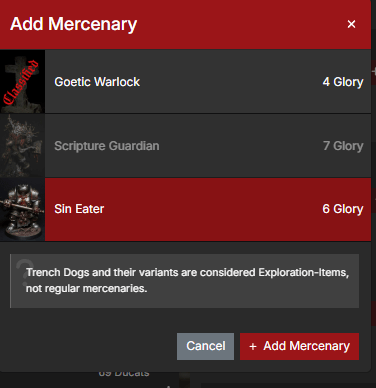
Mercenaries are specialized models you can add to your warband. You can have multiple mercenaries in your roster, but no more than one copy of each. Each mercenary entry in the rules will list which warbands can recruit them. They come with their own equipment (which cannot be modified in any capacity) and special rules, but don’t benefit from faction special rules (such as the +1 DICE to Dash to all models in an Heretic Naval Raiding Party warband or the Concentrated Attack rule for New Antioch) and, unless otherwise specified, cannot be part of FIRETEAMS. Otherwise, they function exactly like any other model in your team.
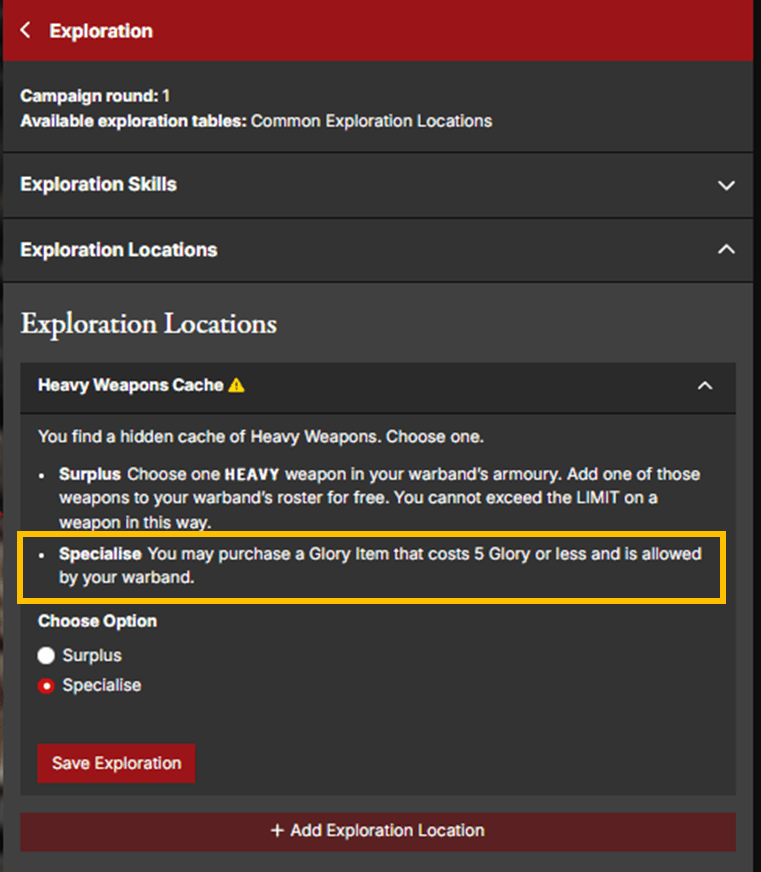
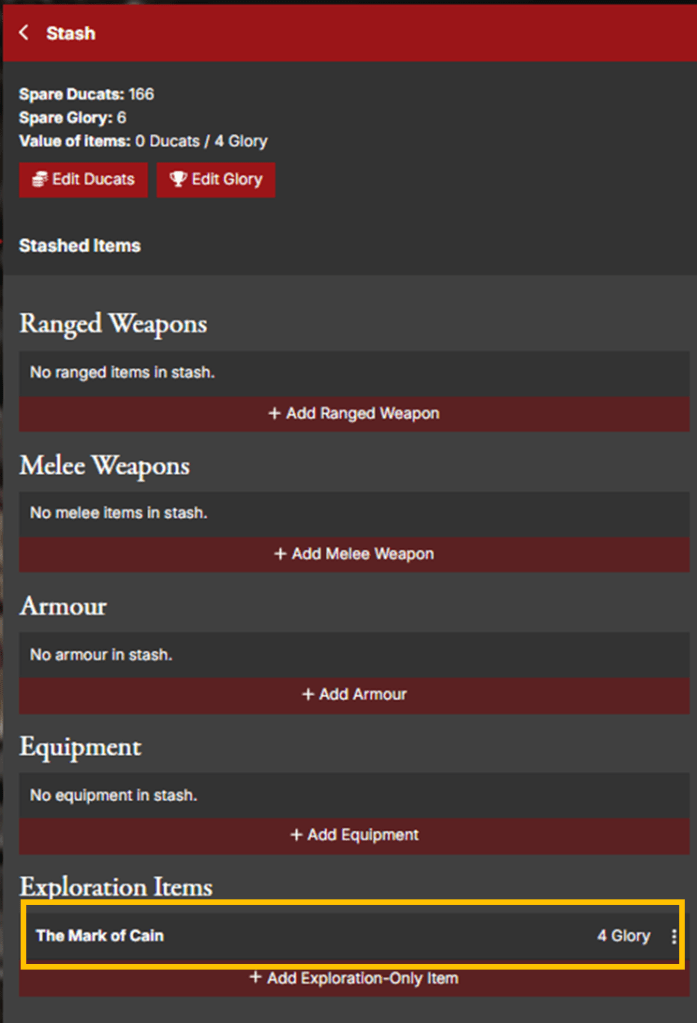
Glory Items are special items you could acquire by spending Glory Points. Some of them are listed in a warband’s Armoury. These are considered “common” items and can always be purchased between battles, as long as you have enough Glory Points to spend. Each item will have its own restrictions on how many copies you can have and which model can take it, as usual. A second type of items, which are not listed in a faction’s Armoury, are considered “rare” items and must first be found through exploration in order to be acquired. Other than that, the same rules and restrictions of common Glory Items apply.

Sharing your Creation
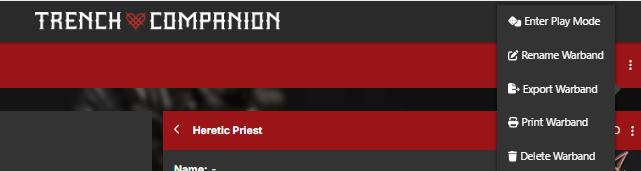
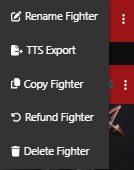
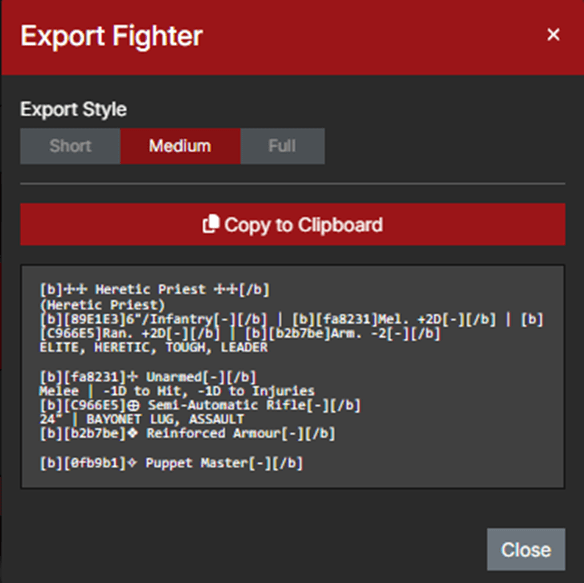
By now, you should have all the tools you need to start building your first warband. Once you’ve done, you’ll probably want to print your list for playing or share it with your friends. The Trench Companion offers a few options.
And that would be all for today. You can now go to Trench Companion and explore the warband builder yourselves! I hope this article will help you with your Trench Crusade journey. We’ll meet again soon. As always, feel free to leave a comment.
Until next time!

 A Troll in the Trenches
Leave a comment